Free Student CV Template (Word & Google Docs) With a Filled-In Example
Free Student CV Template (Word & Google Docs) With a Filled-In Example
Last updated: 28 October 2026
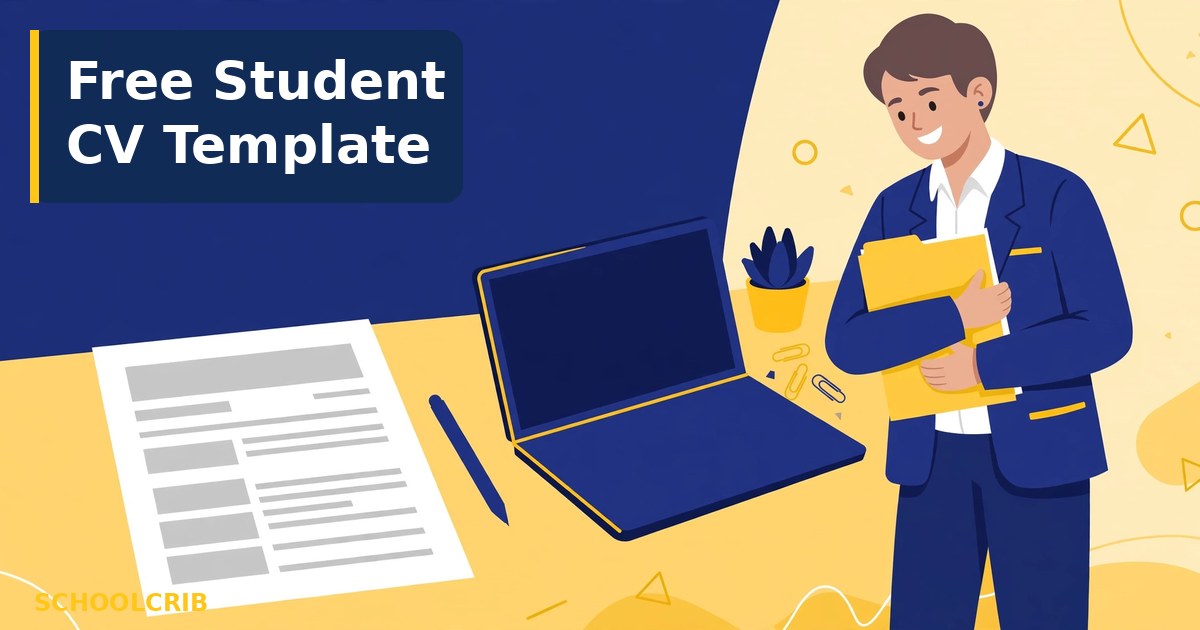
You do not need work experience to fill a one-page CV: you need the right sections, in the right order, with honest evidence under each one. This free student cv template is built for exactly that: education first, then projects, placements, volunteering and skills, in a single-column layout a person and an applicant tracking system (ATS) can both read. Download the blank template (Word or PDF) below, and use the filled-in example to see what each section should say.
Download the blank student CV template: Word (.docx) · Download the blank student CV template: PDF · Download the filled-in example: PDF
Key takeaways
– A student CV is one page: contact details, a 3-line profile, education, experience (placements count), projects, volunteering and leadership, skills, and a one-line references note.
– “No experience” usually means no paid job. SIWES and other placements, society roles, volunteering and course projects are all evidence.
– For online applications, use the ATS-safe layout: single column, standard headings, no tables, graphics or skill bars.
– Weak bullets describe duties (“helped in the office”). Strong bullets name what you did and what changed.
What a student CV must contain when you have little or no experience
A working adult’s CV leads with job history; yours leads with education, because right now that is your strongest evidence. The UK National Careers Service agrees: early in your career, education can follow your introduction, and work history should include placements and volunteering, most recent first. This student cv template uses that order:
- Contact details: name, city, phone, professional email, one link at most.
- Profile: three lines (your course, your strongest evidence, the role you want).
- Education: qualification, institution, dates, relevant modules, a result if it is a strength.
- Experience: internships, SIWES / industrial training, teaching practice, an NYSC primary assignment, part-time and family-business work, paid or not.
- Projects: course projects, final-year work, personal builds, research, society projects.
- Volunteering & Leadership: class representative, society executive, club captain, community volunteering.
- Skills: technical tools and languages first, then workplace skills backed by evidence.
- Certifications & Languages (optional): courses and certificates that match the role.
- References: one line only, “Available on request.”
From our editorial team: In our CV-review work with students, the two sections most often left blank are projects and volunteering/leadership, and reviewers consistently say those are the sections that would have separated the applicant. A class project with a real output, or a society role with real responsibility, is evidence. Leave neither blank out of modesty.
Section by section: how to write each part
Contact details
One or two lines under your name: city and country, phone, email, one link at most. Your email should be your name in plain form: create a fresh one if your current address is a nickname. Leave off your full home address, date of birth, state of origin, marital status and photo unless asked; the National Careers Service advises against including age, date of birth, marital status or nationality.
Profile (3 lines, no adjectives without evidence)
The profile replaces the old “objective” paragraph: who you are, your best evidence, what you are applying for.
Weak: “A hardworking and dedicated student seeking an internship in a reputable organisation.”
Strong: “Second-year accounting student who kept the books for a 60-member student cooperative for a full session, reconciling weekly contributions in Excel. Seeking a finance internship.”
The strong version makes claims the rest of the CV then proves. That is the test for every line you write.
Education: your headline section
List your current or most recent qualification first: degree or diploma title, institution, start and expected finish dates. Add relevant modules (four to six that match this application, not your whole transcript), your result if it helps (a strong GPA or class of degree in progress; if it is not a strength, leave it out and let projects carry the section), and one academic highlight (a project, prize or presentation, detailed under Projects below). Secondary school results belong here only while recent or specifically requested; they shrink to one line, then drop off, as your university record grows.
Experience: placements are experience
This is the section students undersell. SIWES, teaching practice, internships, vacation jobs and family-business work are real workplaces with real tasks. Give each a title, organisation and city, and dates in one format (e.g. Jun 2026 – Sep 2026), then two to four bullets starting with an action verb and, where honest, ending with a scale or result.
From our editorial team: A placement supervisor we have worked with puts it plainly: the task students describe worst is their own placement: they write the organisation’s name and nothing it taught them. Their advice: name one task, one tool or system you used, and one thing that changed because you were there.
Projects: where no-experience students win
A project is proof you can finish something: a course project, a final-year project in progress, a personal website, a holiday business, a portfolio. Describe what you built, the tools used, and what came out of it. If it grew out of how you study (a revision system your study group now uses, the kind of method in Study Techniques That Actually Work), say so; a project with users beats one with only a grade. In a group project, claim your part, not the whole result.
Volunteering & Leadership
Class representative, society executive, sports captain, media team, community clean-ups, tutoring younger students: this section shows reliability and people skills you cannot yet show through jobs. Treat each role like a small job: title, organisation, dates, one or two bullets with numbers. “Member, drama society” is a line wasted; “Treasurer, drama society: managed a ₦150,000 production budget across two shows” is evidence. Use your own real figures; amounts here are illustrations, not targets.
Skills
Split skills into two groups. Technical: the actual tools, e.g. Excel (pivot tables, lookups), Google Workspace, Canva, Python (basics), SPSS, naming the level or task, not a star rating. Workplace: communication, record-keeping, teamwork, customer service, only where a bullet elsewhere backs the claim. Mirror the advert’s wording where true: if it says “data entry” and you have entered data, use their words. Never list a skill you could not demonstrate in an interview.
Weak vs strong bullets: the rewriting that matters most
Same experiences, written two ways: most first CVs fail here, not on layout.
| Weak (duty, no evidence) | Strong (action + scale + result) |
|---|---|
| Helped during my SIWES placement | Reorganised the placement office’s filing for 200+ student records; any student’s file could afterwards be found in under a minute |
| Did a group project on water quality | Led a 4-person team testing water samples from 5 campus outlets; presented findings to 60 students |
| Good with computers | Built the department’s event-registration sheet in Excel, removing duplicate entries and producing a clean list of 180 attendees |
| Volunteered at a charity | Coordinated 12 volunteers on a community clean-up that cleared 3 blocked drainage channels before the rains |
Notice the pattern: verb + what you did + how much/how many + what it produced. Use the numbers you honestly have; never borrow figures you cannot explain in an interview.
The filled-in example, explained
The download above shows this template completed for “Adaeze Example”, a fictional student invented for this page. She is not a real person; her record and grades are illustrations, and her email and phone number are deliberately non-real. Read it for its patterns, then replace every line with your own true details:
- Her profile names a target: what she studies, her best evidence (her SIWES placement), and the internship she wants, in three lines.
- Education comes before experience, listing only modules a data or admin employer would care about.
- Her SIWES bullets carry numbers she could defend: records handled, a spreadsheet she built, instead of “did office work”.
- Her leadership is one role, written properly, not a list of memberships; every skill named appears above it as evidence.
- The whole example fits one page: no photo, no date of birth, references in one line.
From our editorial team: Students seeing a filled example beside their own draft usually say the same thing: “my experience doesn’t count.” The prompt we use back is simple: what did you do, for whom, and what was different afterwards? Three honest answers to that question are three strong bullets.
ATS rules: the version you upload to portals
Many employers collect applications through an applicant tracking system (ATS), software that stores your CV as text before a person reads it. You do not need to beat a robot; you need a file the software can read correctly. The blank template already follows these standard rules:
- Single column. Two-column designs can be read across instead of down, scrambling dates and jobs.
- Standard headings. Profile, Education, Experience, Projects, Skills: words systems and recruiters expect. Creative headings (“My Journey”) risk a section being missed.
- No layout tables, text boxes or graphics carrying information. A skill inside a graphic or rating bar is not text, so it cannot be searched. Write it as a word.
- Contact details in the body, at the top, not only in a Word header or footer, which some systems skip.
- Plain fonts and standard bullets (Calibri, Arial or similar, 10.5–12pt), with dates in one format throughout.
- Send the file type asked for: .docx for Word, a text-based PDF (selectable text, not a scan) for PDF. Keep the editable version as your master.
The branded template uses a navy heading bar for print and email and is still single-column text, but for an important portal application, use the plain version in the download, with the colour bar removed.
Length rules: one page, and how to stay there
For students, one page is the standard: your evidence is recent, and a focused page reads as confidence. Stay on it by cutting, in order: hobbies that prove nothing for this role, secondary-school detail once university results exist, memberships without roles, and bullets repeating a skill already proven. Tighten spacing modestly before cutting content; never shrink the font below readable to force a fit. A final-year student with two substantial placements and several projects may use a second page, if every line on it adds something new.
How to use the template in Word and Google Docs
- Download the blank file (Word or PDF) and fill in your own copy. (Tip: the Word file also opens in Google Docs, upload it to your Drive and it converts automatically.)
- Work top to bottom, replacing each [bracketed prompt] with your own details, and delete the guidance lines as you go.
- Save a master copy with your name (e.g.
YourName-CV-Master.docx). For each application, copy it, tailor the copy, save it with the organisation’s name. - Run the checks on this page, then export or attach the format the advert asks for.
Using AI on your CV: help is fine, invention is not
An AI tool can usefully comment on a draft you wrote: flag a weak bullet, suggest a stronger verb, spot a spelling error. That is feedback; the CV stays yours. The line is crossed when the tool writes your experience for you: AI-written CVs produce smooth, identical bullets (“responsible for various administrative tasks”) that say nothing, and tools will cheerfully invent duties and results you never had. Anything you cannot explain and defend in an interview does not belong on your CV, whoever drafted it. Our guide to the best AI tools for students sets out where that line sits for study work; the same rule applies here.
Common mistakes
- Sending one identical CV to every application: no tailoring of profile or bullet order.
- Starting bullets with “Responsible for…”: duties listed instead of what you did and what changed.
- A profile full of adjectives (“hardworking, passionate, team player”) with no evidence below.
- A photo, date of birth or full home address nobody asked for, while the phone number that works is missing.
- Design-first templates for portal applications: columns, icons and skill bars an ATS cannot read.
- Typos in the one document whose whole job is care: especially in your name, email or phone. Read it aloud, slowly, before sending.
Frequently asked questions
How long should a student CV be?
One page for almost every student. Your evidence is new, so a single focused page is the standard: education, one or two placements or projects, volunteering or leadership, and skills. Use two pages only as a final-year student or recent graduate whose extra placements and projects all earn their place, never pad page two with hobbies and referees.
What do I put on a CV if I have no experience?
More than you think. Put education first: relevant modules, projects and results. Then add any placement (SIWES or industrial training, teaching practice, an internship, holiday or family-business work) plus volunteering, society or class leadership, and personal projects, each with two or three bullets saying what you did and what came of it. On a student CV, experience means evidence you can do things, not a list of paid jobs.
Should a student CV have a photo?
No, unless an employer specifically asks for one. A photo takes space your evidence needs, and applicant tracking systems cannot read images. The same applies to your date of birth, state of origin and marital status: leave them off unless the application form asks for them.
Do I put references on a student CV?
Not their names and phone numbers. End with one line, References available on request, and keep a separate list of two referees (a lecturer, a placement supervisor) ready for when an employer asks. Printing other people’s phone numbers on a document you send everywhere is a privacy problem for them, and it costs space your evidence needs.
Should I send my CV as a Word document or a PDF?
Send whichever format the advert asks for. If it does not say, a text-based PDF exported from Word or Google Docs keeps your layout as you made it and is read correctly by most systems. Keep the .docx as your editable master for tailoring. Never send a photo or scan of your CV: to a computer system, that is a picture, not text.
Your next step
Download the blank template and fill it in in one sitting: rough and true beats polished and invented. Rewrite your three weakest bullets using the table above, and tailor the profile to the first real advert you send it to. Still building experience to fill it? Our free study planner template helps you plan the study side of student life.